Stop Guessing: The Right Free Host for Your Discord Bot, Portfolio, and Everything In Between
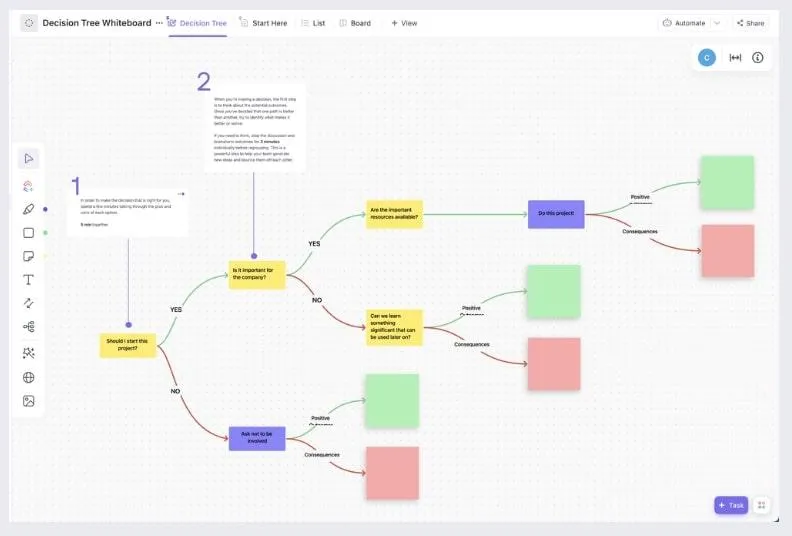
Photo: developer flowchart decision tree on whiteboard, via clickup.com
Every week someone lands in a Discord server or a Reddit thread asking the same question: "What's the best free host?" And every week they get a dozen conflicting answers, because the real question is never "what's the best host" — it's "best host for what?"
A static portfolio and a 24/7 Discord bot have completely opposite needs. One wants to be served from a CDN edge and never think again. The other needs a process that never sleeps. Pick wrong, and you'll spend a weekend debugging a problem that was baked into your hosting choice from minute one.
So here's the field guide we wish existed when we started. Find your project type, follow the branch, ship the thing.
The Decision Tree
Start here and answer honestly:
Does your project need to run continuously?
- No → Is it just HTML/CSS/JS files? → Static host with a CDN (see: Static Portfolio below)
- Yes → Does it need to respond to HTTP requests, or just run in the background?
- HTTP requests → PaaS with a free dyno/instance (see: REST API below)
- Background only → Always-on container or VPS free tier (see: Discord Bot below)
Does your project need WordPress or PHP?
- Yes → Free shared hosting with PHP/MySQL support (see: WordPress Blog below)
- No → Congratulations, you have a hundred better options
Is your project just a scheduled task?
- Yes → Cron-friendly serverless platform (see: Cron Job Runner below)
Now let's fill in the details.
Static Portfolio → Static Host + CDN
Best fit: Netlify, Vercel, Cloudflare Pages, GitHub Pages
If your project is a pile of static files, you should never touch a traditional server. These platforms give you a global CDN, automatic HTTPS, and deploys straight from a Git push. Build times on free tiers are limited (usually a few hundred minutes a month), but a portfolio that deploys once a week won't come close.
Watch out for: Build minute caps if you're rebuilding constantly, and bandwidth limits that are generous but not infinite.
REST API → Free PaaS Instance
Best fit: Render free tier, Railway trial credits, Fly.io allowances
APIs need a real process listening on a port, which means a platform-as-a-service. The catch on free tiers is almost always cold starts — your instance sleeps after 15 minutes of inactivity, and the first request after takes 30+ seconds to wake it.
Workaround: Ping your API every 10 minutes with a free uptime monitor (UptimeRobot is the classic). It's a hack, but it works until your API has real traffic.
Discord Bot → Always-On Container
Best fit: Free-tier VPSes (Oracle Cloud's always-free tier is the standout), or a container platform
Here's the trap: most free PaaS tiers sleep inactive processes, and a Discord bot doesn't get inbound HTTP traffic to keep itself awake. You need a host that runs a process 24/7 without charging.
Oracle Cloud's always-free tier (two small VMs, forever, no card charge) is the honest answer here, though signup can be finicky and capacity varies by US region. A small always-on container host is the backup option.
Watch out for: Oracle's signup process rejects some card types and addresses. Budget an evening for it.
WordPress Blog → Free Shared PHP Hosting
Best fit: InfinityFree, or a free tier from a traditional shared host
WordPress is the one case where the old-school free shared hosts still make sense, because you need PHP and a MySQL database. These hosts come with real tradeoffs — ads on some free plans, slower performance, occasional suspensions for resource usage — but for a low-traffic personal blog, they're functional.
Watch out for: Check the terms on backups. Many free PHP hosts don't back up your site at all. Set up your own weekly export.
Cron Job Runner → Serverless Functions
Best fit: Vercel Cron Jobs, Cloudflare Workers with scheduled triggers, GitHub Actions on a schedule
If your "app" is really just a script that runs at 6 a.m. — scrape a price, send a digest email, rotate an API token — don't host a server at all. Serverless platforms with scheduled triggers run your code on a timer and charge you nothing at free-tier volumes.
GitHub Actions is the sleeper pick: scheduled workflows are free for public repos and generous for private ones.
The Limits Cheat Sheet
| Limit type | Typical free-tier ceiling |
|---|---|
| Bandwidth | 100 GB/month (static hosts) |
| Build minutes | 300/month |
| Sleep timeout | 15 min inactivity (PaaS) |
| Database | 256 MB–1 GB |
| Execution time | 10s–30s (serverless) |
Always check current numbers — these shift quarterly, and not in the fun direction.
When You Outgrow Free (You Will, and That's Fine)
The signs are consistent across every platform: your sleep-wake cycle starts dropping real requests, your database hits its ceiling, or your build minutes run out mid-month. When that happens:
- Export before you're forced to. Database dumps and Git repos should live outside your host already.
- Match the migration to the platform. Static sites migrate in minutes. Stateful apps take a weekend — plan for it.
- Do the math on paid tiers. A $5–7/month VPS often beats upgrading a PaaS free tier to paid, especially for bots and APIs.
Free tiers are training wheels, and there's no shame in that. Every serious project we've run started free and graduated when the traffic demanded it. Pick the right host for the job today, keep your exit path clean, and you'll never get stuck.