The $199 Laptop Challenge: Building and Shipping a Real App From a Chromebook Using Nothing But Free Tiers
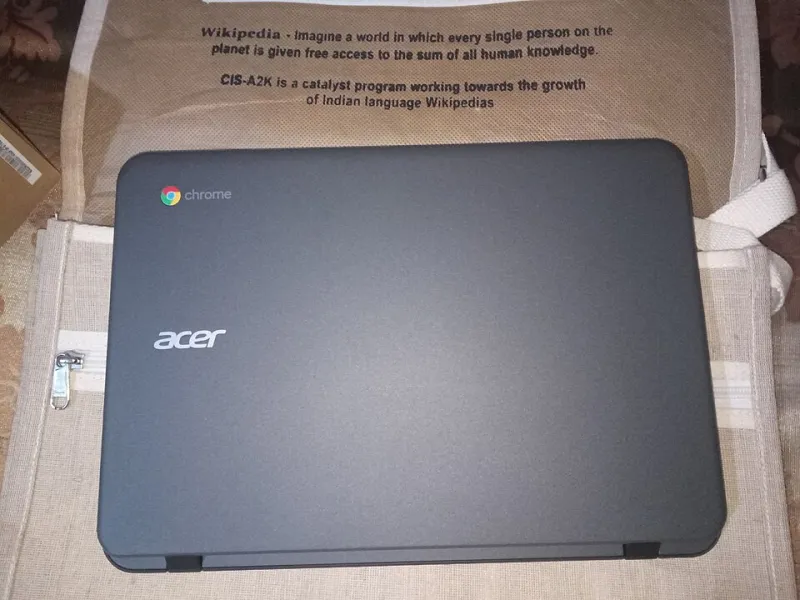
Photo: Rajeshodayanchal, CC BY-SA 4.0, via Wikimedia Commons
Most hosting reviews are written on $2,000 MacBook Pros. That always felt a little dishonest to us, so this time we flipped it around. The rules were simple: one $199 Chromebook, an internet connection, and exactly $0 in services. If a tool required a credit card or a download that wouldn't run on ChromeOS, it was off the table.
The goal wasn't just to see if it was possible. Plenty of things are technically possible. We wanted to know if it was actually pleasant — whether a student or a hobbyist starting from scratch in a dorm room could realistically build and ship something real this way.
The Hardware: What $199 Buys You
The Chromebook we used is the kind you'll find on a back-to-school shelf at Walmart — 4GB of RAM, an underpowered Celeron chip, and 64GB of storage. Out of the box, there's no traditional terminal, no local Node or Python install beyond what the Linux container (Crostini) allows, and on 4GB of RAM, even that container gets tight fast.
That limitation shaped every decision we made. Instead of fighting the hardware, we leaned into cloud-based tools entirely. Everything — editing, testing, deploying — happened in a browser tab.
The Toolchain: Free All the Way Down
Here's the stack we settled on, all on free tiers:
- Cloud IDE: GitHub Codespaces' free monthly hours for the heavy lifting, with a fallback to a browser-based VS Code alternative when the hours ran dry
- Version control: GitHub, obviously
- Database: a free Postgres instance from one of the usual free-tier suspects
- Hosting: a free container platform for the API, plus static hosting for the frontend
- Monitoring: a free uptime checker, because we wanted to know when things fell over
The app itself was deliberately ordinary — a CRUD app for tracking local disc golf scores, because we wanted something with a database, real traffic patterns, and no excuse to fail.
Where the Workflow Actually Felt Good
Honestly? Most of it worked better than expected. Coding in a cloud IDE on a Chromebook is a genuinely decent experience in 2025. Autocomplete ran server-side, so the weak hardware didn't matter. Deploys were a git push away, and the free container host cold-started our little API in under a minute.
There's something freeing about a machine that can't accumulate six months of broken local configs. Every session started clean. For a beginner, that's not a bug — that's a feature. Half the tutorials on this site exist because someone's local environment quietly sabotaged them. This setup makes that failure mode nearly impossible.
Where It Fell Apart
The cracks showed up in three places.
First, Codespaces hours. The free allotment sounds generous until you're actually building. We burned through our monthly hours in about two weeks of evening sessions, and switching mid-project to a lesser free IDE was jarring — different keybindings, missing extensions, slower file indexing.
Second, the database idle policy. Our free Postgres instance went to sleep after inactivity, and the first cold query of each session took a painful 20-plus seconds. Our disc golf app is a toy, so nobody cared. But if this were a portfolio piece, a hiring manager clicking through would absolutely notice.
Third, multi-tab reality. Cloud IDE, database dashboard, hosting logs, and the live app open at once on 4GB of RAM meant Chrome started swapping tabs aggressively. We developed a rhythm of closing everything we weren't actively using, which is workable but not fun.
The Verdict for Budget Developers
If you're a student with a Chromebook and no money, here's the honest scorecard: you can absolutely build and ship a real project this way. The total bill was $199 once, and $0 forever after. Deployment was arguably easier than on a traditional laptop because the free hosting platforms are designed around exactly this workflow — push to git, auto-deploy, done.
But set your expectations on the rough edges: free IDE hours run out, free databases nap, and 4GB of RAM will keep you honest about how many tabs you keep open. None of those are dealbreakers. They're just the tax you pay for a setup that costs less than a textbook.
Our disc golf tracker is still live as of this writing. It cost nothing to build, nothing to run, and it works. For a lot of people reading this site, that's the whole point.